Elevate instruction. Reach every learner.
Kami App turns the materials teachers already use, district-provided, curriculum-aligned, classroom-tested, into interactive lessons with built-in accessibility and real-time engagement for every student.
For every school and classroom
Learning made visible
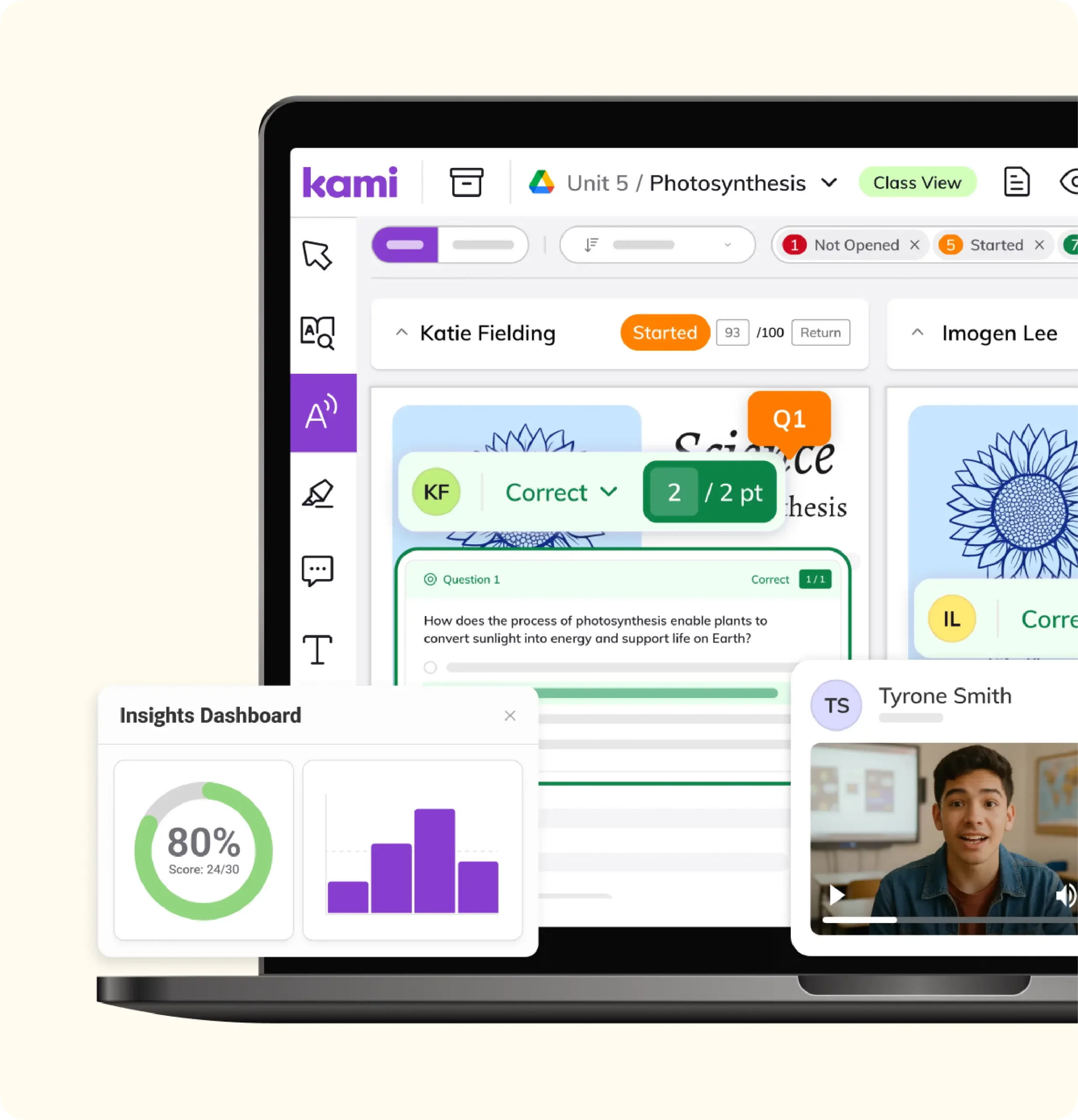
Real-time monitoring and Class View show which students are keeping up and which are stuck, while the lesson is still happening. Teachers can step in during the moment that matters, not after a worksheet comes back incomplete.
Built-in accessibility
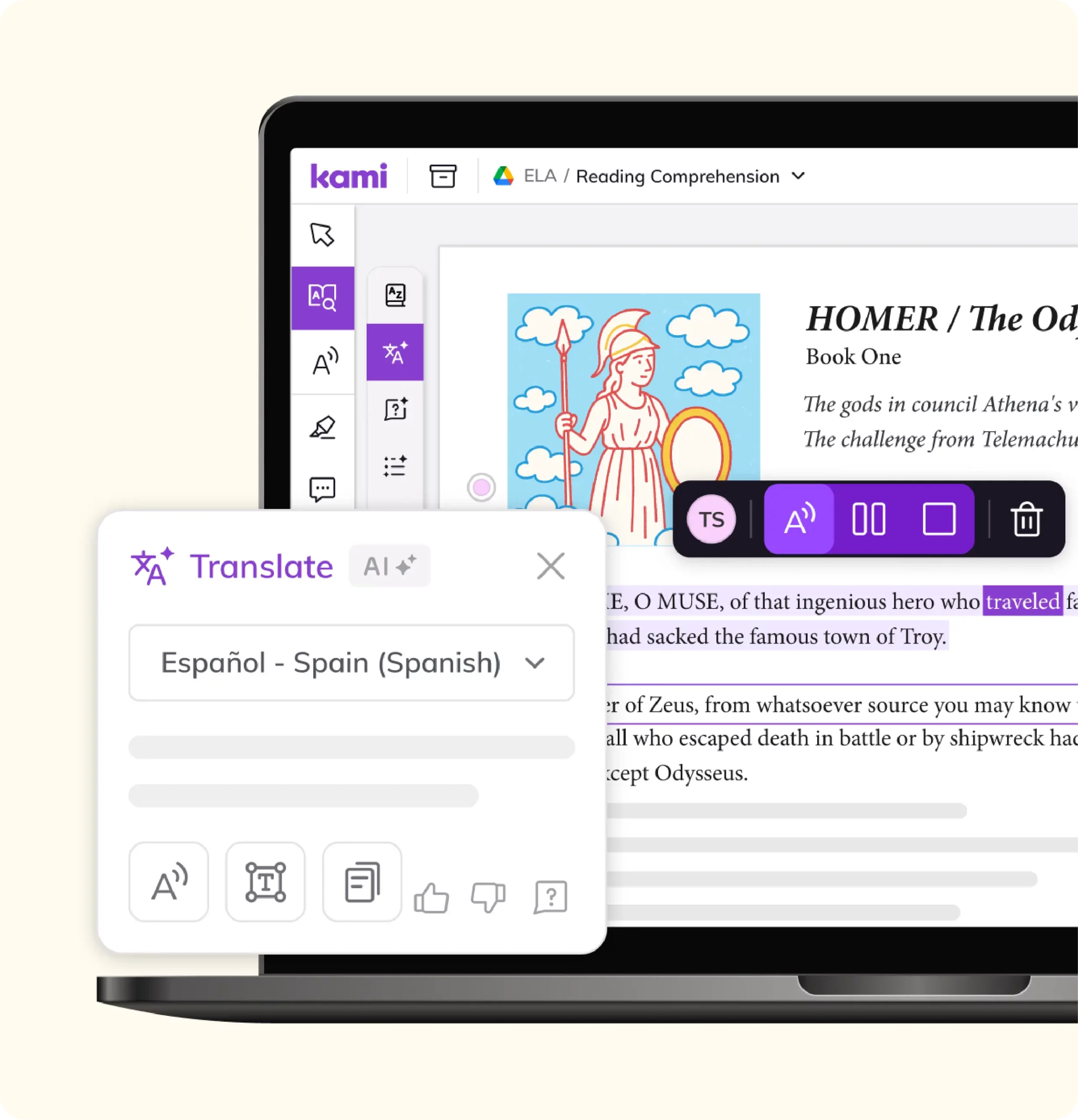
Read aloud, captions, dark mode, accessibility fonts (including OpenDyslexic and Lexend), and a multilingual dictionary with eight language options are part of the document itself. Every student works from the same lesson, not a separate, modified version of it.
Works with what teachers already have
Kami App connects to Google Classroom, Schoology, Canvas, and Microsoft Teams, and layers onto PDFs, worksheets, and slides teachers already use. There’s no new curriculum to adopt and no second system to maintain.
Features that make it work
Engage and assess in real time
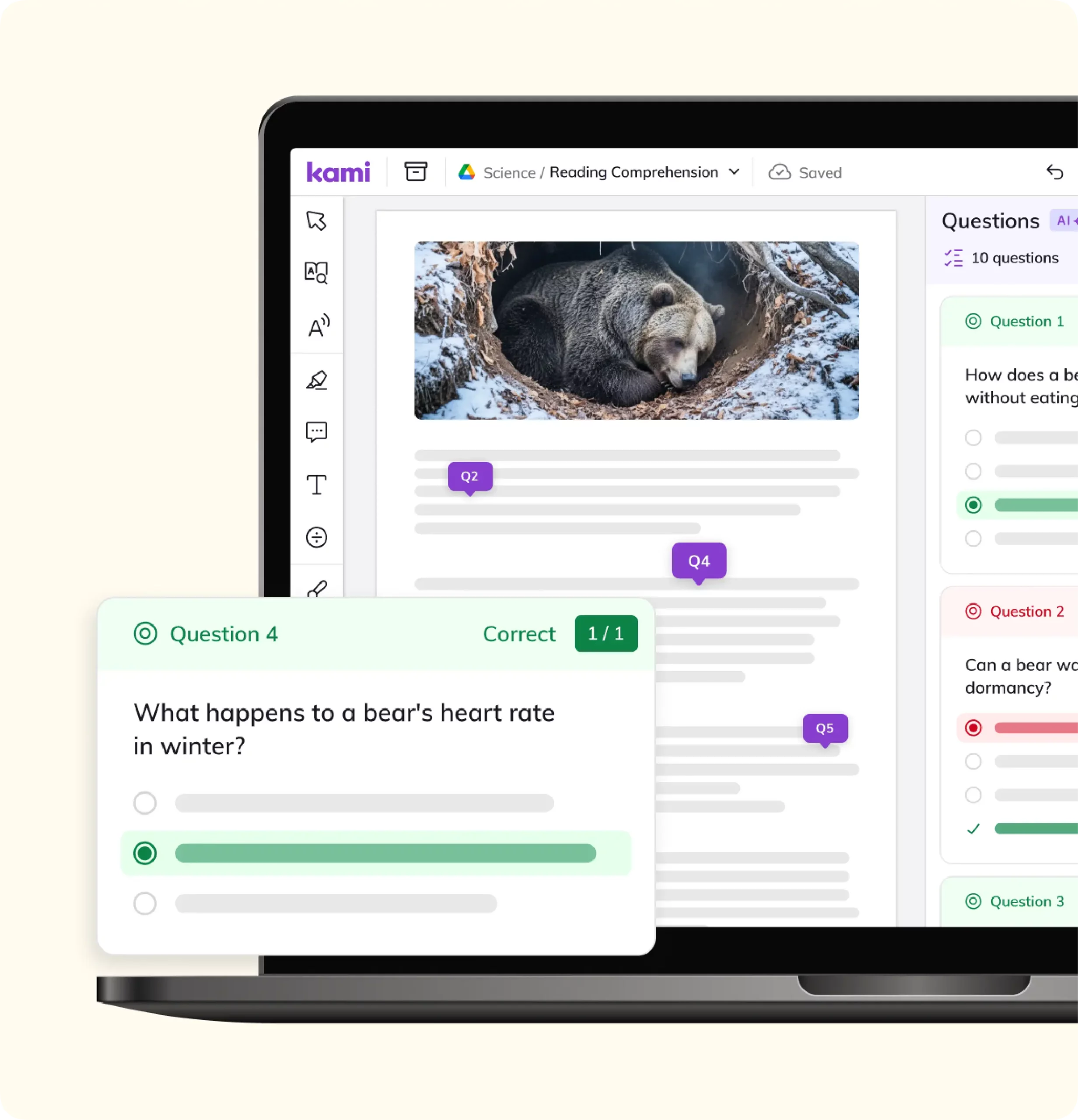
Real-time monitoring, Class View, Assessment Mode, Insights, Annotation Summary, and AI-assisted feedback give teachers a live read on student understanding, plus a faster way to respond to it.
Accessibility, built in
Read aloud, captions, dark mode, accessibility fonts, a multilingual dictionary, eight language options, text recognition (OCR), and 15-plus graphic organizers mean accessibility supports are part of every lesson, not an add-on for a handful of students.
Everyday teaching tools
Stickers, collaboration, whiteboard, presentation mode, voice typing, predictive text, an equation editor, STEM tools, and voice or video comments (up to five minutes each) cover the everyday work of teaching a lesson, checking understanding, and giving feedback.
Fits existing systems
Single sign-on, offline mode, cloud storage sync, and integrations with Google Classroom, Schoology, Canvas, and Microsoft Teams mean Kami App fits into the systems a district already runs, instead of asking teachers to work around it.
Validated for modern classrooms
Kami App is backed by independent validation that matters to districts, from instructional alignment to accessibility and privacy.
ISTE Seal of Alignment
Kami App has been independently reviewed by the International Society for Transforming Education and recognized for supporting the standards that guide modern classroom instruction.
Universal Design for Learning
Kami App has earned the Universal Design for Learning (UDL) Product Certification from CAST, developed in partnership with Digital Promise.
This recognizes Kami App’s support for the three UDL principles: engagement, representation, and action & expression.
Privacy and interoperability
Kami App is listed among 1EdTech Trusted Apps as Data Privacy Certified and carries the Common Sense Privacy Seal. Kami also aligns with SOC 2 Type 2, ST4S, GDPR DPF EU-US, and the Project Unicorn interoperability pledge, helping districts evaluate Kami App with confidence.
Evidence of impact
Kami App also has third-party research support. In Moreno Valley Unified School District, a 2022-23 Empirical Education study using data from more than 15,000 students across 36 schools.
Are you ready for intentional EdTech?
Integrations

Google Classroom
Learn more
Canvas
Learn more
Schoology
Learn more
Microsoft Teams
Learn more
D2L Brightspace
Learn moreScale student attainment

Customer testimonials
“Kami has opened accessibility doors in the classroom! Making assignments more inclusive for all my students.”

“Kami has been a game changer for my students. Kami allows all of my students to have a voice in the classroom.”

“Kami has been an invaluable tool to help teachers in our district respond to students’ needs”

“If you aren’t using Kami with your students right now you need to get it ASAP. This tech tool has been completely life-changing for my students this year. When I first got it I had no idea how it would change my teaching! Now it’s all my students use to do their work!”

“It’s a game-changer! There’s almost nothing I can’t do in Kami, and I use it every single day!”

Frequently asked questions
Browse our FAQs below, or visit our Help Center for comprehensive guides and troubleshooting support.
What is Kami App?
Kami App is a digital annotation and instruction tool that turns the materials teachers already use, such as PDFs, worksheets, and slides, into interactive lessons with built-in accessibility and real-time engagement.
Does Kami App work with our learning management system (LMS)?
Yes. Kami App integrates with Google Classroom, Schoology, Canvas, and Microsoft Teams.
Is Kami App accessible for students with disabilities?
Kami App has built-in accessibility features, including read aloud, captions, dark mode, and accessibility fonts such as OpenDyslexic and Lexend. See our accessibility page for the current WCAG 2.1 AA conformance report.
How much does the Kami App cost?
Pricing varies by product and district size. See the pricing page or talk to our team for a quote.
Is Kami App secure and compliant with student data privacy laws?
Kami App is part of Kami’s compliance posture, which includes SOC 2 Type 2, ST4S, and GDPR DPF EU-US alignment, plus 1EdTech and Common Sense Privacy Seal certifications and the ISTE Seal of Alignment. See the Security Hub.
Does Kami App work with the materials we already have?
Yes, for PDFs, worksheets, Google Docs, and web pages, including text recognition that turns a scanned page into something a student can search, highlight, and have read aloud. Kami App doesn’t open OneNote notebooks directly, so districts moving off OneNote bring materials in as PDFs. See Microsoft Teams.
See if Kami app is a fit for your school.